Dangerous Animal Detection and Alerting
Authors: Saurav Koduri (University of Illinois Urbana-Champaign) and Avasyu Chukkapalli (Virginia Tech)
Introduction
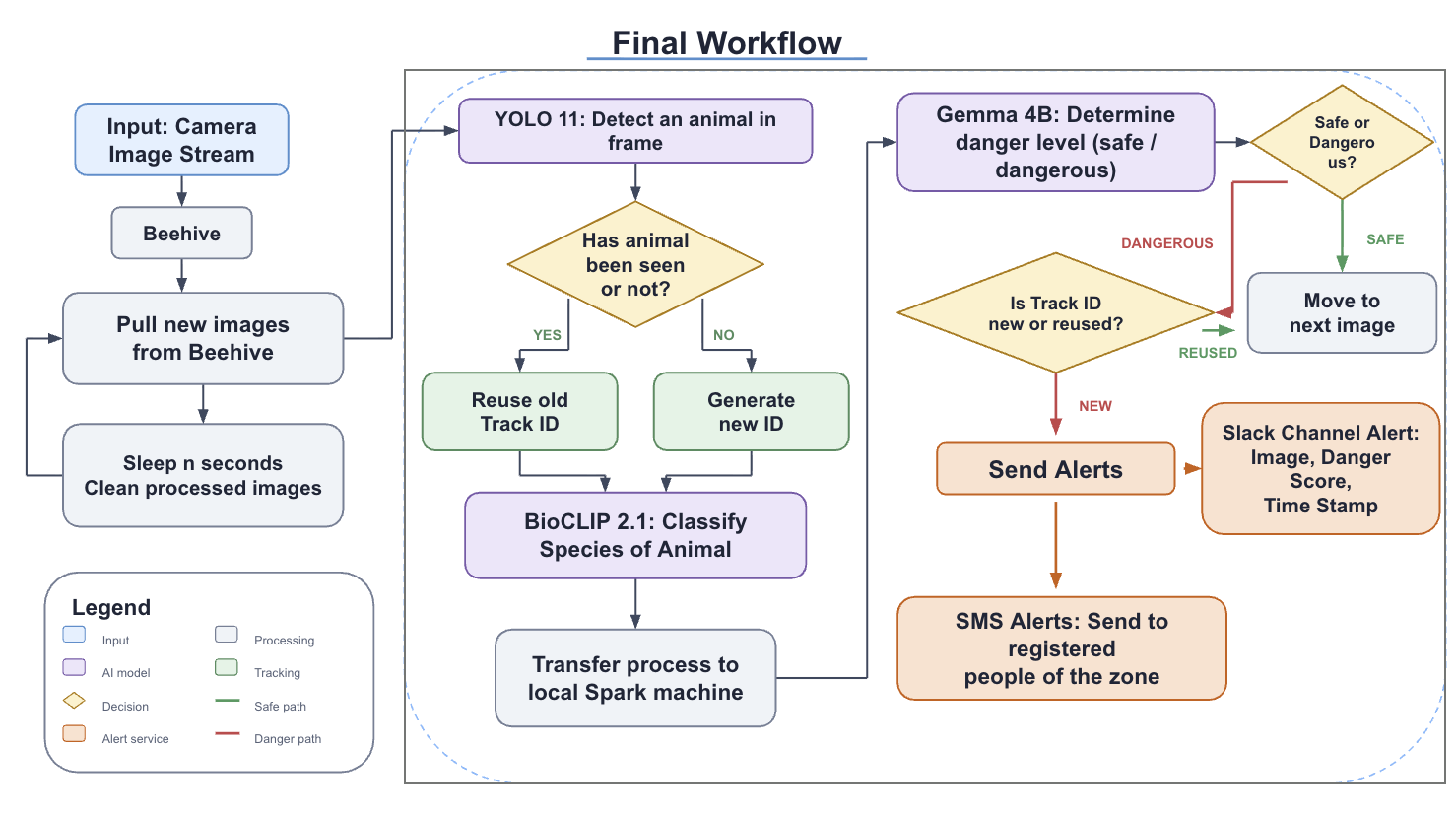
Wildlife cameras collect valuable images, but reviewing them manually can delay responses when a dangerous animal enters a monitored area. Our project develops an automated pipeline for the Sage platform that detects animals, identifies their species, evaluates their danger level, and sends alerts with the annotated image.
Project Goals
Our objectives were to:
- Process images collected from a Sage camera stream.
- Detect, classify, and track dangerous animals from each camera frame
- Send alert messages through SMS and Slack
- Refine the system to remove double alerts or missed animals
Our Work
We built a modular Python pipeline that combines YOLO11, BioCLIP 2, and Gemma. YOLO locates each animal and assigns a track ID, BioCLIP classifies the species, and Gemma labels the species as safe or dangerous with a danger score. Track IDs are reused while an animal remains active, preventing duplicate alerts for the same animal.
When a newly tracked animal is classified as dangerous, the system sends an SMS through Twilio and a Slack message containing the annotated detection image, danger score, and timestamp. Each run also saves annotated images and structured detection metadata to a CSV file.
Result
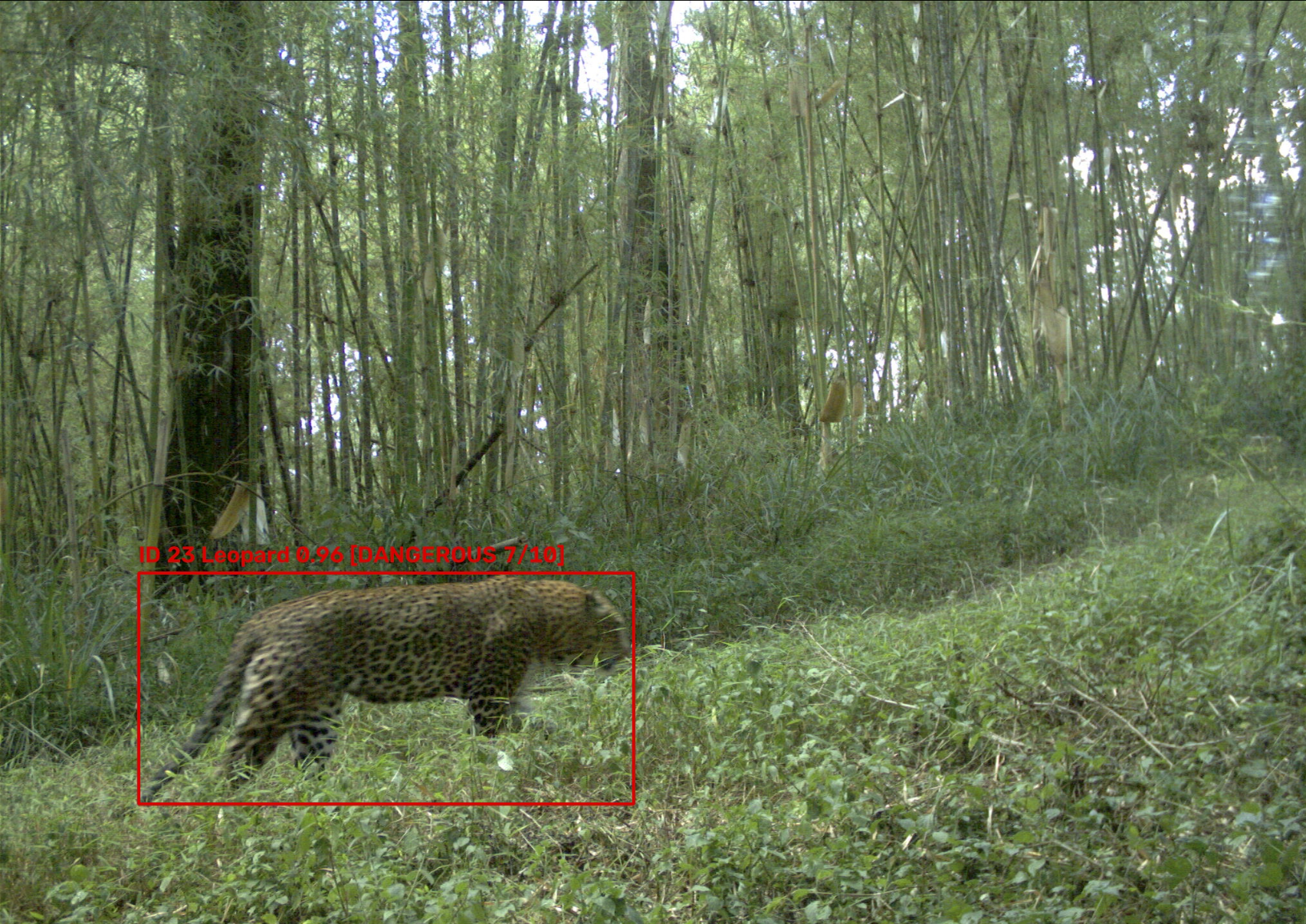
The completed pipeline runs on individual images, folders, ordered image sequences, or images pulled from Sage. Dangerous detections are outlined in red, while safe detections are outlined in green. The example below shows a leopard identified as dangerous, assigned track ID 23, and given a danger score of 7/10.
Current Status and Next Steps
The detection, species-classification, tracking, CSV output, Twilio, and Slack components work together as a complete local pipeline. Docker and Sage configuration files are also prepared for future edge deployment. The next step is to connect the system to a deployed camera node so it can continuously process new images and notify authorized personnel in real time.
Project code and setup instructions are available in the project repository.